Three settings and a good wallpaper. Then glass for the apps Apple left flat.
Oct 23, 2026 • Jake @ CaLab, maker of Glassnote
Liquid Glass came with macOS 26 Tahoe. To check your version, open System Settings → General → Software Update.
Open System Settings → Appearance and find Liquid Glass.
On macOS 27, drag the slider. Left is clearer. Right is more solid.
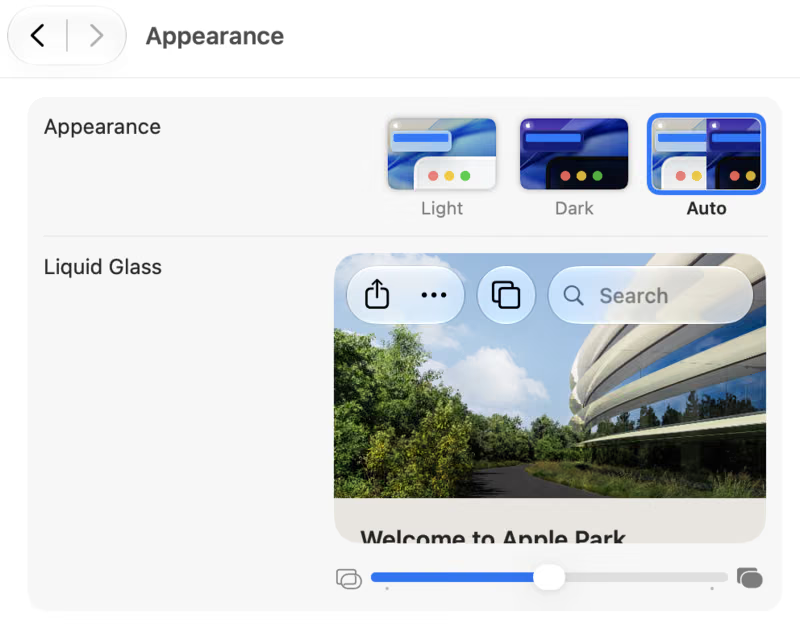
On macOS 26.1 and later, pick Clear or Tinted. Clear is the most see-through. Tinted makes the glass more solid, with more contrast.
Greyed out? Turn off Reduce Transparency in Accessibility → Display.
In the same Appearance pane, set Icon & widget style to Clear. Icons and widgets turn to glass and pick up your wallpaper's colors. Clear has a light and a dark version.
Most icons lose their color in Clear. If you can't find an app, try Tinted instead.
Glass shows what's behind it. A plain grey wallpaper gives you grey glass. Bright colors and soft shapes make it glow.
The Dock, menus and sidebars are glass now. Stickies notes are still flat squares of color.
Glassnote is a sticky note made of glass. Press ⌥⌘B to switch between Light, Dark, frosted glass and Liquid Glass. Liquid Glass needs macOS 26 or later.
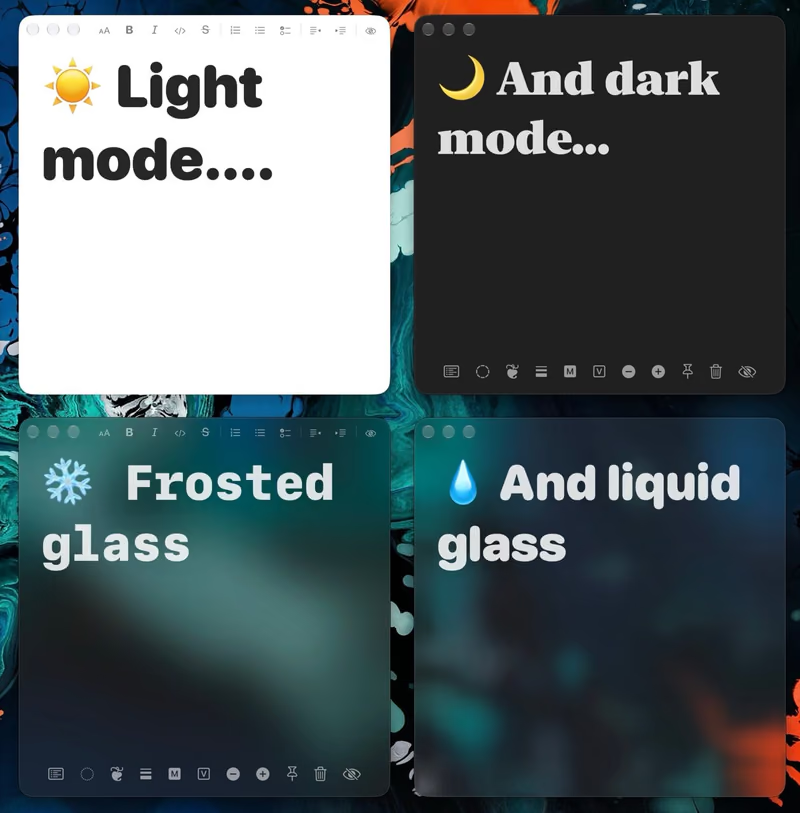
On macOS 27, Glassnote's Liquid Glass follows the slider from step 2. Drag it and your notes get clearer or more solid along with the rest of your Mac.
The glass blurs what's behind it, so your text stays sharp. Stickies' Translucent mode just fades the note, so text behind it bleeds through.
7-day free trial. Then $6.50 once, for all your Macs.
I make four more small apps in frosted glass. They float on your desktop and blur your wallpaper. They use frosted glass, not Liquid Glass.
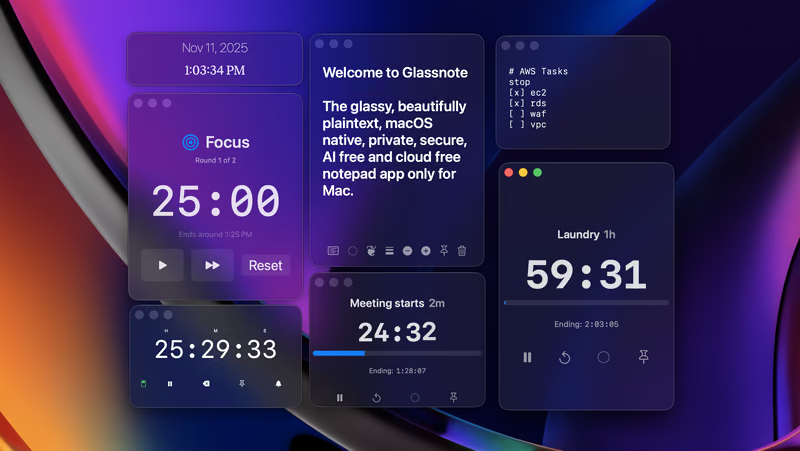
Glassbundle gets you all five, Glassnote included, for 40% less than buying each one.
Which macOS has Liquid Glass?
macOS 26 Tahoe and later. The Clear and Tinted choice came
in macOS 26.1. macOS 27 has a slider instead.
Can I change how see-through Liquid Glass is?
On macOS 27, yes. Drag the Liquid Glass
slider in System Settings → Appearance.
Why is the Liquid Glass setting greyed out?
Reduce Transparency is probably on. Turn it
off in System Settings → Accessibility → Display.
How do I make my Mac app icons clear?
Open System Settings → Appearance, and set Icon
& widget style to Clear.
Can sticky notes be Liquid Glass on Mac?
Apple Stickies notes are flat colors. Glassnote
has a Liquid Glass look on macOS 26 and later.
 Calcium Lab