Stickies can do it in two clicks. Here is how, and the one thing it gets wrong.
Oct 23, 2026 • Jake @ CaLab, maker of Glassnote
That's it. Each note has its own setting, so repeat it for every note you want clear.
To keep the note above your other windows, choose Window → Float on Top.
Translucent fades the note. It does not blur what's behind it. So any text behind your note shows through and smashes into your own.
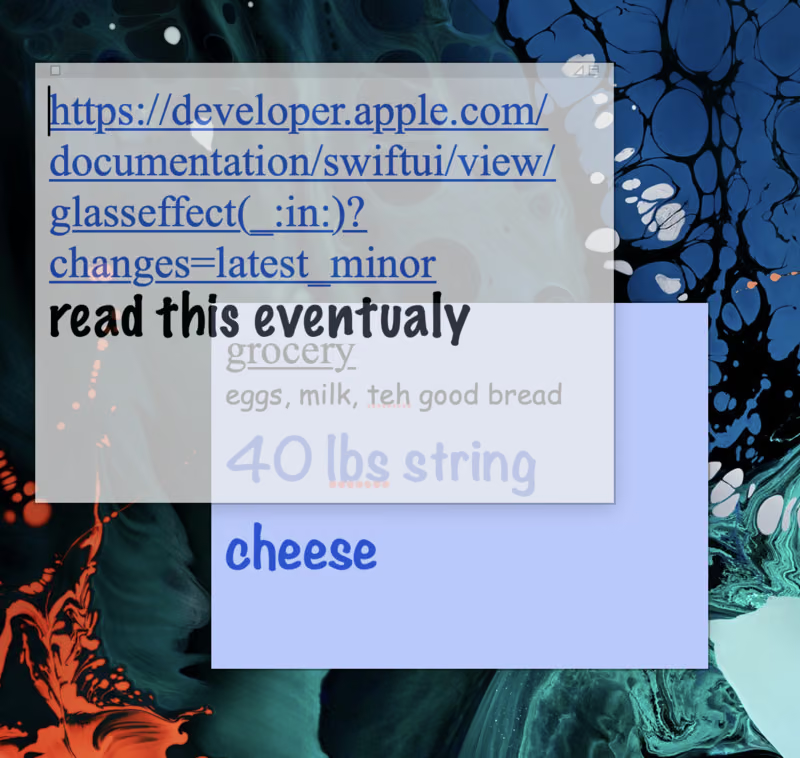
It's also all or nothing. There is one level of see-through and no slider.
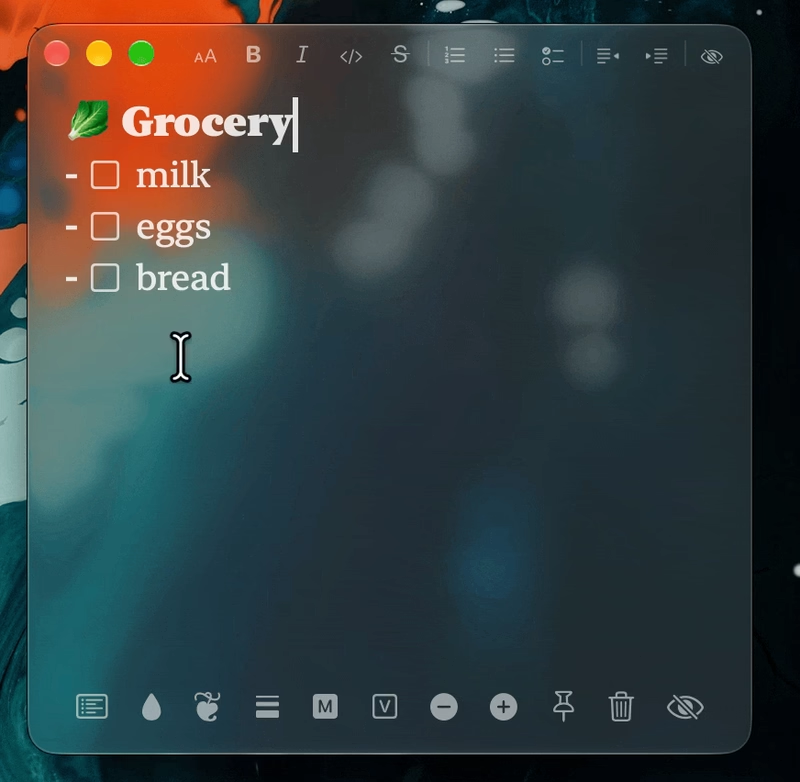
Glassnote is a sticky note made of glass. It blurs whatever is behind it. You still see your wallpaper's colors, but only your own text is sharp.
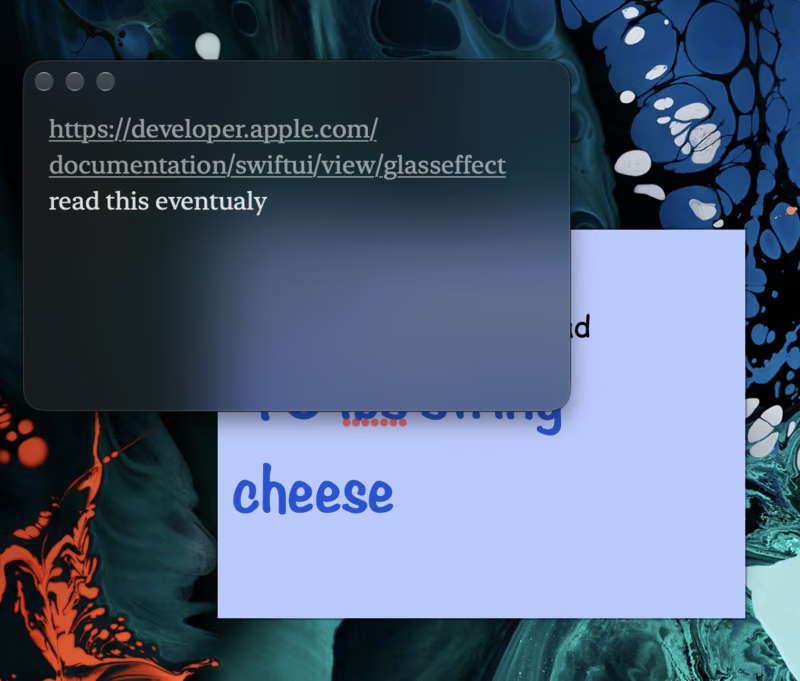
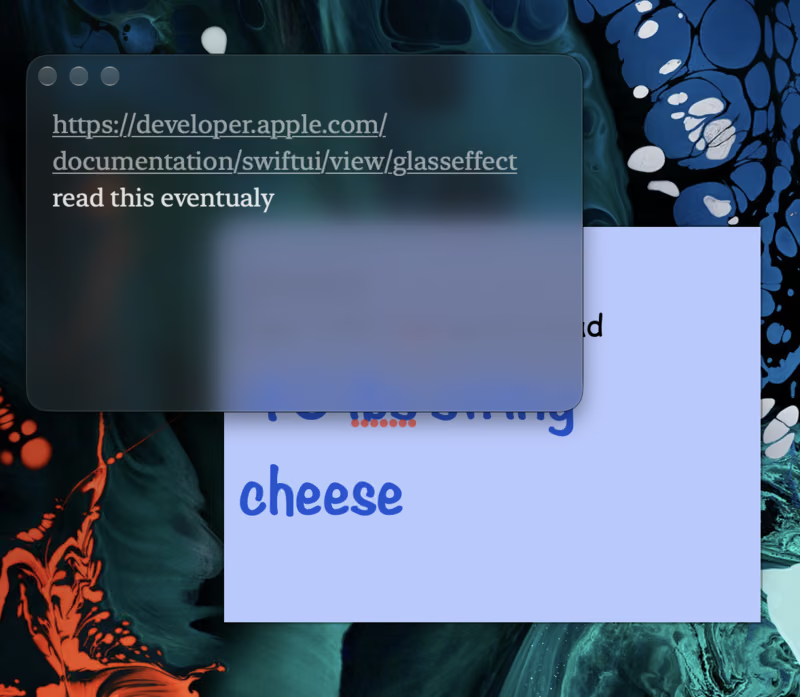
Same note, same spot. The grocery list behind turns into a soft blur.
Press ⌥⌘B to switch looks: Light, Dark, frosted glass and Liquid Glass. Liquid Glass needs macOS 26 or later.
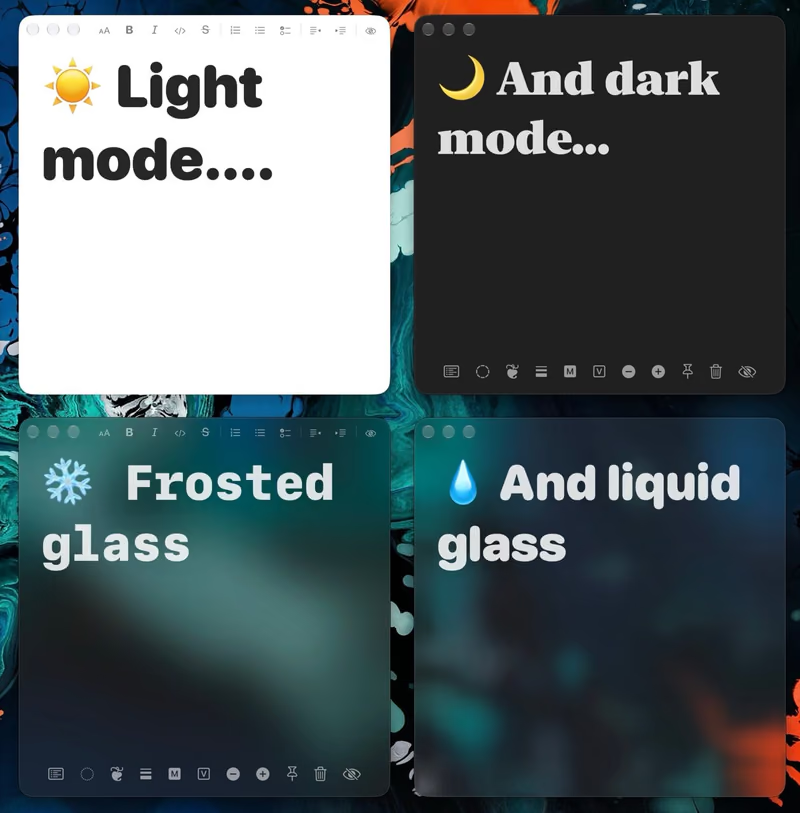
Want it clearer? Stickies has no slider, but macOS 27 does. Glassnote's Liquid Glass follows the Liquid Glass slider in System Settings → Appearance. Here's how.
Press ⌘P to pin a note above your other windows, the same job as Float on Top.
Read more about Glassnote or see how it stacks up in the best sticky notes apps for Mac.
7-day free trial. Then $6.50 once, for all your Macs.
How do I make a Stickies note transparent on Mac?
Click the note, then choose Window →
Translucent in the menu bar. Each note has its own setting.
Can I change how see-through Stickies is?
No. Translucent is on or off. There is no
slider.
How do I keep a sticky note on top of other windows?
In Stickies, choose Window → Float on
Top. In Glassnote, press ⌘P.
Is Glassnote free?
It has a 7-day free trial. After that it is $6.50 once, for all your
Macs.
 Calcium Lab