 Calcium Lab
August 26, 2026 • Jake @ CaLab
The first version of Glassnote was a pretty window you typed in. That was the whole pitch, and for a sticky notes app that is a fair pitch. But once people started actually living in it, the same handful of requests kept arriving, and version 3 is what came out the other end.
Nothing here changes what Glassnote is. It's still plain text in a glassy floating window. These are the things that were missing.
iCloud sync between Macs
This was the biggest recurring ask, by a wide margin, mostly from people running a desktop and a laptop. A few said outright they'd buy the app the day it shipped. Open the same note on either machine now and it stays current.
Glassnote uses your own iCloud Drive to do it. There is no CaLab account to make, no server of mine in the middle, and nothing extra to pay for. It's on by default and there is deliberately no toggle inside the app. If you don't want it, switch Glassnote off in System Settings → Apple Account → iCloud → Drive, and the app keeps working entirely on-device.
I left the in-app toggle out on purpose. A sync setting can't itself sync, so a default-off switch means enabling it by hand on every Mac, and if you forget one, that machine silently shows no notes and reads as a broken app. Letting the operating system own the decision avoids the whole class of problem.
A copy of your notes is always written to each Mac as well, not just to iCloud. Turning sync off is a non-event rather than a way to lose your notes.
Markdown, rendered as you type
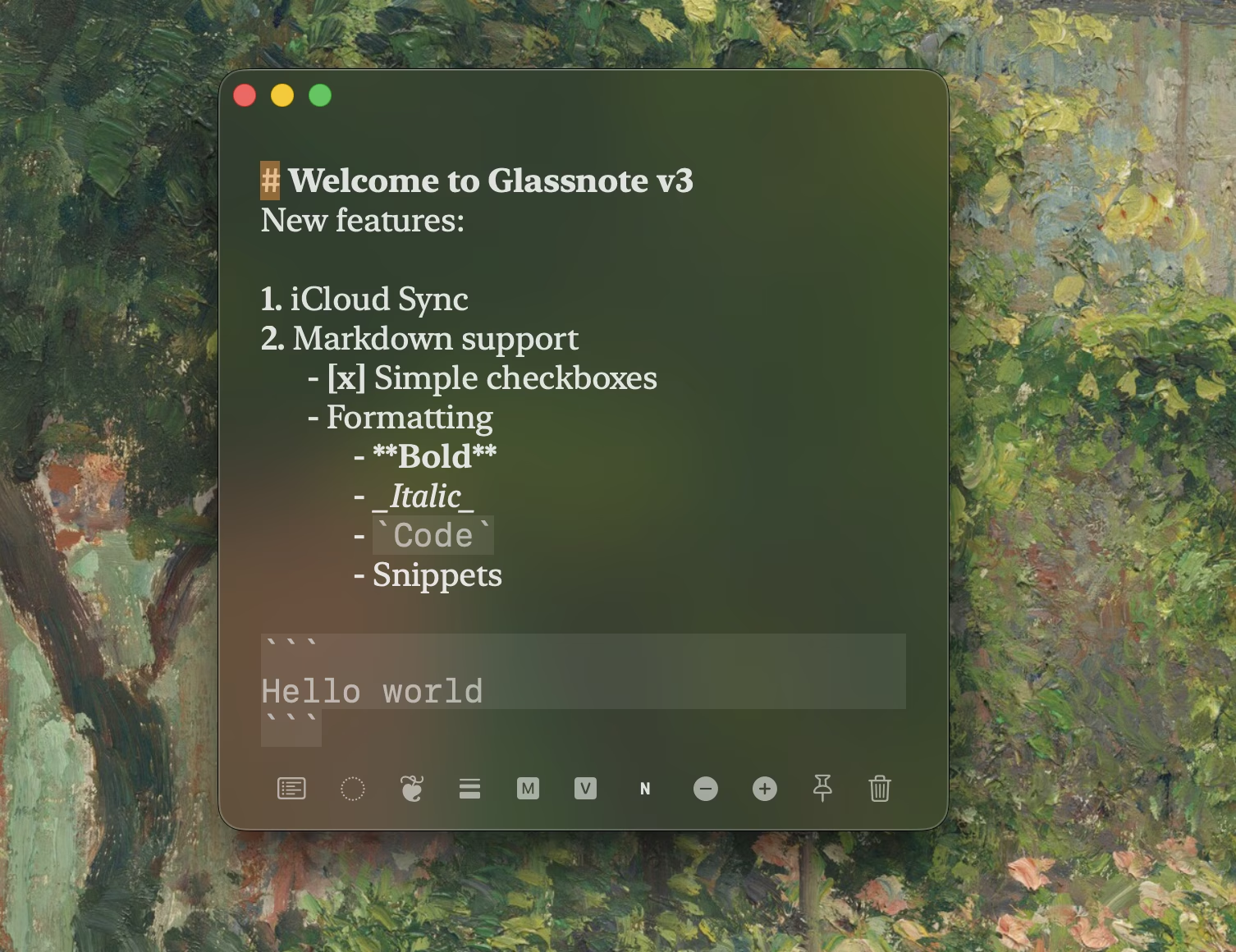
The second most common piece of feedback was that plain text alone didn't cut it. Turn Markdown on per note with the M button in the toolbar. Glassnote supports a deliberately small subset:
# Heading**bold**and_italic_`inline code`and fenced code blocks~~strikethrough~~- bullets,1. numbered lists, and- [ ] checkboxes, all of which auto-continue when you press return
Numbered lists renumber themselves as you insert and delete items. Not all Markdown syntax is recognized, and that's on purpose.
The important part: the formatting is styling, not conversion. What gets saved to disk is the exact text you typed. This is the whole reason the app exists, so I wasn't going to break it for pretty headers. You can also set your own header color, weight, and size offset in Preferences, plus the weight and size of inline code.
Vim mode
Also per note, toggled with ⌘ ⇧ V. There's a mode indicator in the toolbar so you always
know where you are.
What works: normal, insert, and visual modes, including visual line. Motions
h j k l w b e 0 $ ^ gg G. Operators d, c, and y
combined with those motions, plus the doubled forms dd, cc,
yy. Entering insert with i a I A o O s S C. Then x,
X, D, p, P, u, r,
J, ~, and . to repeat the last change.
What doesn't: counts, text objects like ciw, and : commands. It's a working
subset rather than a vim emulation. It covers the editing you actually do inside a sticky note, and
if you have the muscle memory you'll feel at home fast.
Note Manager and search
⌘ ⇧ M opens a single window listing every note, with search across both titles and note
contents. Open, close, or delete from there instead of hunting around your desktop for a window you
know you left somewhere.
This one came from watching myself accumulate thirty notes and lose track of half of them.
Import, export, and automatic backups
Export every note to a single JSON file, and import that file on another Mac. Import asks whether to add those notes alongside what's already there or replace them entirely.
Separately and automatically, Glassnote keeps rolling daily snapshots of your notes on your Mac and holds the last seven days. They live outside iCloud on purpose, so they survive you turning sync off and don't eat your iCloud storage.
Even with that running, export before a big upgrade. A file you're holding yourself is a better guarantee than one the app is managing for you.
Shortcuts worth knowing
⌘ Nnew note⌘ ⇧ MNote Manager and search⌘ ⇧ Vtoggle vim mode⌘ Ppin the note above other windows⌘ Bcycle background,⌘ ⇧ Bfor every note at once⌘ Tcycle typeface,⌘ Fcycle font weight⌘ -and⌘ =font size⌘ 1hide the toolbar,⌘ ⇧ 1for every note at once⌘ Rreset a note to your defaults,⌘ ⇧ Rfor every note
What's next
An iPhone companion. Sync is Mac to Mac today, and the obvious next step is having those notes in your pocket. That's what I'm working on.
macOS 13 or later. One-time purchase, no subscription, use it on all your Macs, with a 7-day free trial if you want to try it first.
New here? The Glassnote overview explains what it is and how it compares to Apple Stickies, and includes a full video walkthrough of every feature.