 Calcium Lab
Written by Jake @ CaLab • November 5, 2026
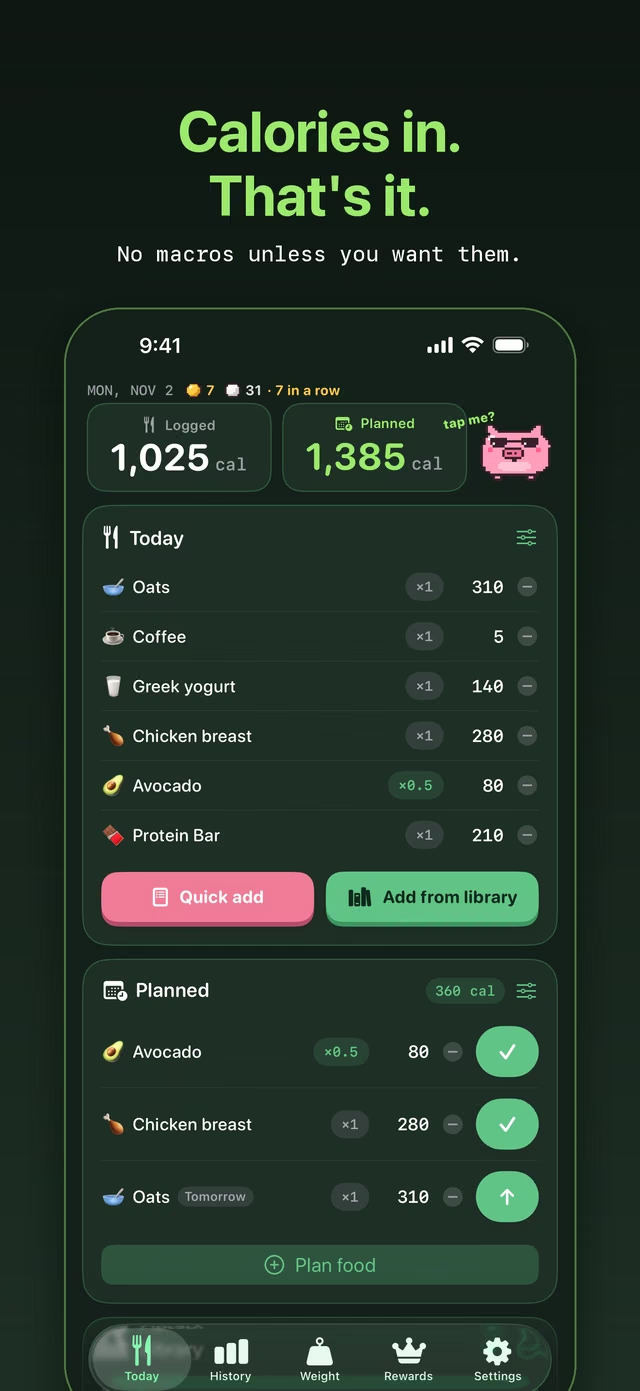
CICO is simple. Eat fewer calories than you burn, and you lose weight. The math is easy. Logging every day without quitting is the hard part.
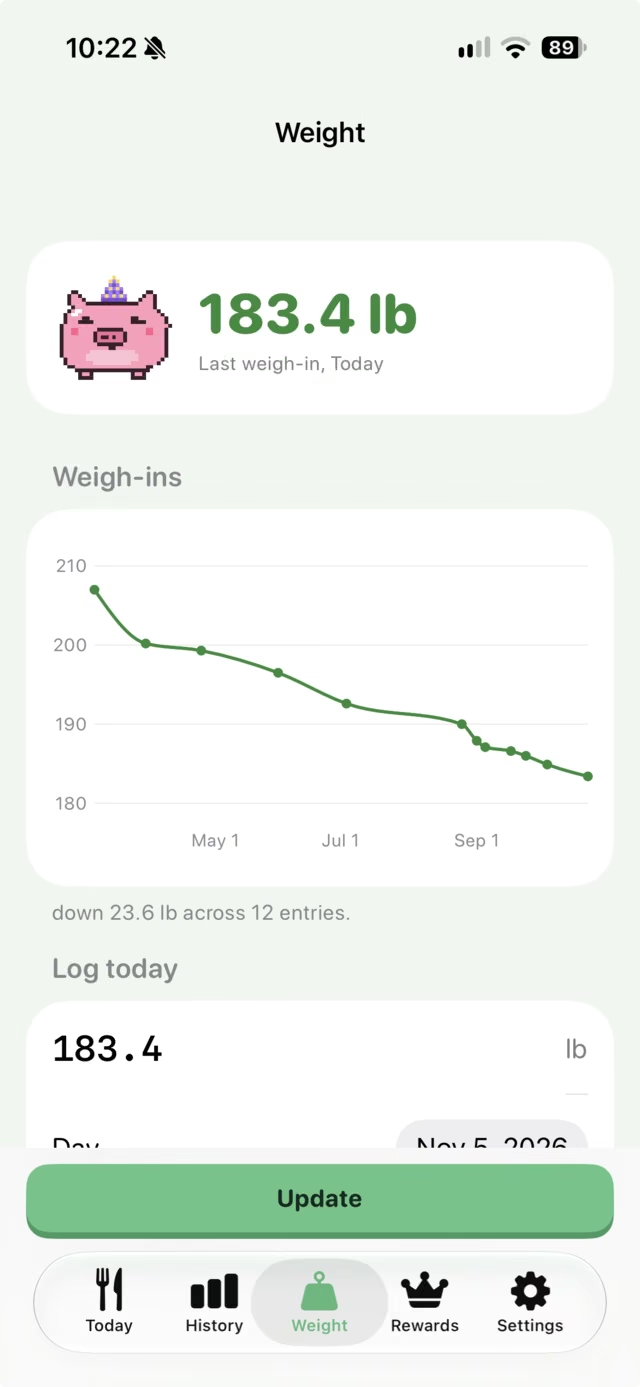
I lost 23.6 lb this year doing exactly that, with Tallix. I started around 2,500 calories a day, slowly worked down to about 2,000, and lifted four or five times a week.
How to do CICO in Tallix
- Pick your daily calorie number. Any target works, 1,200 or 2,500.
- Read the calories off the label and type them in. Macros are optional, so hide them if you only count calories.
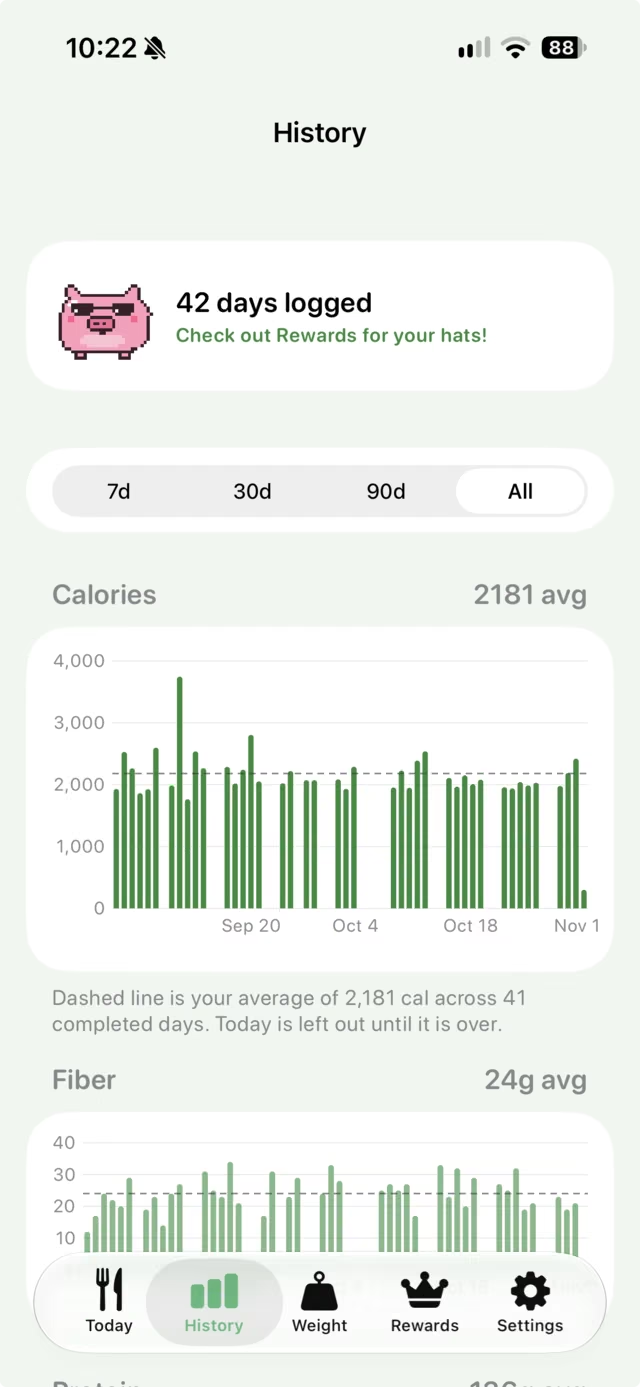
- Check History once a week. Your average is the number that matters.
My real numbers
207 lb down to 183.4 lb, across 12 weigh-ins. 42 days logged, with a 2,181 calorie average. These are my own screens, not demo data.
It worked because logging took seconds, and because Tally made me want to open the app. Every day I logged earned a coin.
FAQ
Do I have to track macros?
No. Calories are always on. Protein, fat, carbs and the rest only show if you switch them on.
Can I track my weight too?
Yes. Weight has its own screen with a trend chart, right next to your food.
What does it cost?
$19.99 once after a 7-day free trial. No subscription.