 Calcium Lab
September 24, 2026 • Jake @ CaLab
Glassnote 3 added Markdown. It worked, but you could always see the stars and hashes. A to-do list looked like code.
Glassnote 4 fixes that. Your notes look clean now, and the text on disk is the same as it always was.
The symbols get out of the way
Type **bold** and you see bold. The stars fade out. Headings lose their
#. Code loses its backticks.
Move your cursor onto a line and its symbols come back, so you can still edit them. Move away and they hide again.
Nothing is converted. The file holds exactly what you typed. Markdown is now on by default for new notes.
Checkboxes you can click
Type - [ ] and you get a real checkbox. Click it to check it off. That's the
whole feature, and it is the one I use most.
A formatting bar, if you want it
Press ⌘ 2 for a bar of buttons: headings, bold, italic, lists, checkboxes. Press
it again and it's gone. You can also select text and right-click to format it.
You never have to learn Markdown to use Glassnote now.
Links that open
Paste a web address and it becomes a link. Click to open it. [text](url) works too,
and so does a bare calciumlab.com with no https:// in front.
Paste a table from Notion and it lands as readable rows, not a wall of text.
Liquid Glass on macOS 26
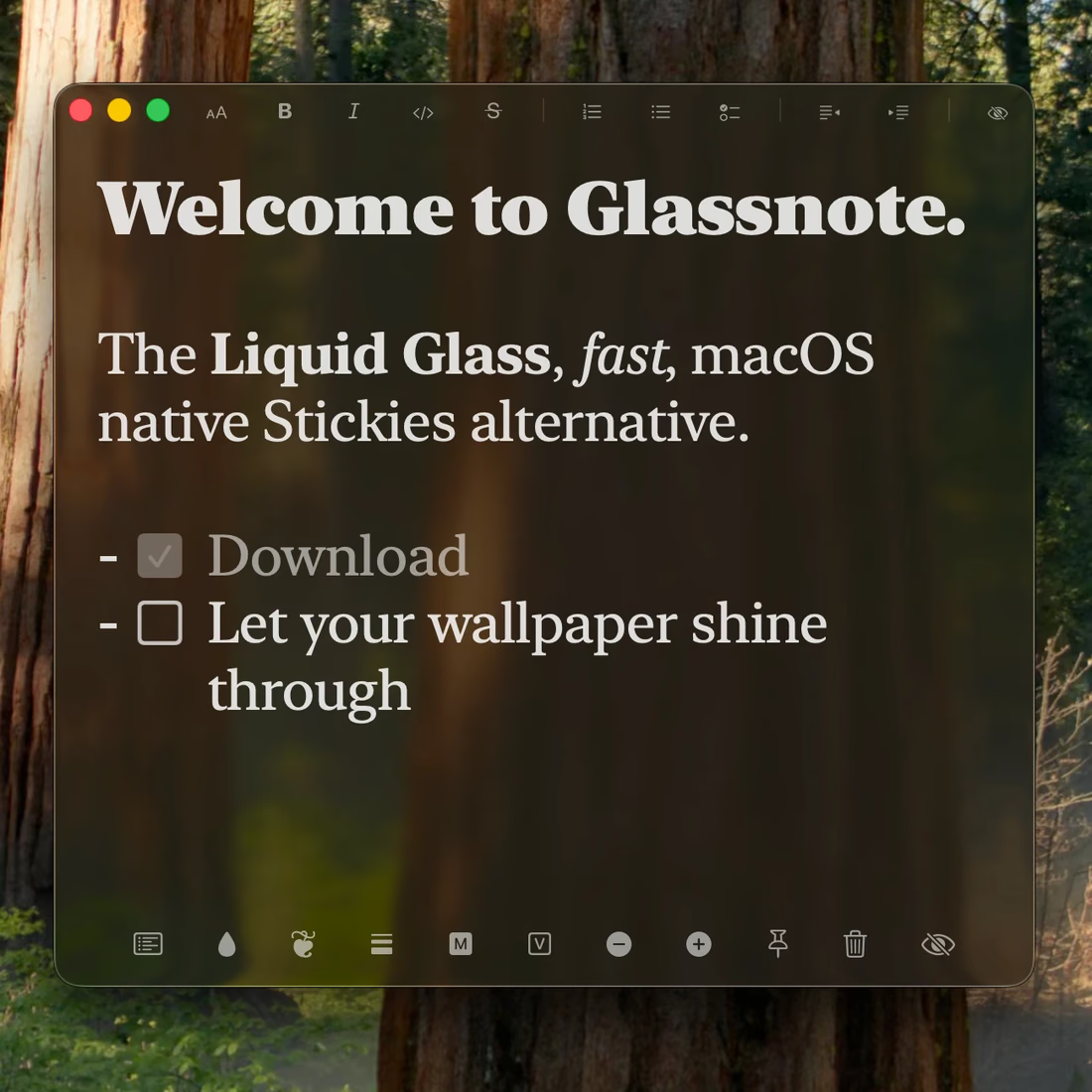
A new background called Tinted Glass. It uses Apple's new Liquid Glass, so your wallpaper shows through the note. Older versions of macOS get the classic Glass look.
Get back any note from the last week
Glassnote already kept seven days of backups. Now you can use them. Open Note Manager
(⌘ ⇧ M) and pick Restore.
You see every backup with how many notes it holds. Restore one day, or pull the newest copy of every note from all of them. That second option brings back a note you lost days ago.
A restore saves your current notes first, so you can undo it.
Note Manager can also sort now: by last edited, created, or name, either direction.
Smarter sync between Macs
Every Mac now keeps the newest version of each note, even if one was offline for a while.
Delete a note on one Mac and it's gone on all of them.
Earlier versions go into your backups, and Restore brings them back.
Before you update
Export your notes first. Note Manager → Export saves everything to one file. Glassnote keeps its own backups, but a file you hold yourself is the best safety net. Then follow How to Update Glassnote.
What's next
The iPhone and iPad app. It shares these same notes over your own iCloud, and it's close.
macOS 13 or later. One-time purchase, no subscription, use it on all your Macs, with a 7-day free trial.
New here? The Glassnote overview explains what it is and how it compares to Apple Stickies.